ChatGPT

Export ChatGPT chats to PDF in one click

Turn ChatGPT study notes, code solutions, research summaries, and important answers into clean PDFs. No copy-pasting required, with long chats, images, formulas, and code blocks preserved more reliably.

★★★★★4.8/5 Rating
180,000+ Users
Free

Why use ChatGPT Exporter for PDF export?

Optimized for real ChatGPT workflows: long answers, code blocks, math formulas, images, and deep reasoning can all become easier-to-save documents.

📄

High-quality ChatGPT to PDF export

Convert ChatGPT conversations into structured PDFs that keep prompts, answers, hierarchy, lists, quotes, and images readable for archiving, printing, or sharing.

🎨

Readable export styles

Choose light, dark, and clean layouts with adjustable font size. Study notes, technical plans, and client materials can all be exported in a more comfortable format.

🌈

Supports 13 AI websites

Built around ChatGPT export, while also supporting Gemini, Claude, DeepSeek, Grok, Perplexity, NotebookLM, Kimi, Copilot, and other major AI websites.

🧠

Preserve reasoning and deep thinkingSpecific

Export ChatGPT's complex reasoning, step-by-step analysis, and deep thinking together with the final answer, useful for research, debugging, and decision records.

💾

Save long chat histories

Export long ChatGPT conversations for study, research, coding, or project work. Multi-turn context and final conclusions can stay in one PDF.

✂️

Download only selected key content

Use quick selection tools to pick one message, a conversation range, or several important replies, then download only the ChatGPT content that matters.

Built for frequent ChatGPT workflows

When a ChatGPT answer becomes study material, work evidence, or a decision reference, saving it as PDF is more reliable than screenshots or copy-paste.

Save study notes for review

Save study notes for review

Export ChatGPT explanations, examples, formula derivations, and review outlines as PDFs for printing, annotation, and long-term study.

How to export ChatGPT chats to PDF

Save ChatGPT content your way, from full export to selected ranges and single-answer export.

Install the AI Exporter extension
1

Install the AI Exporter extension

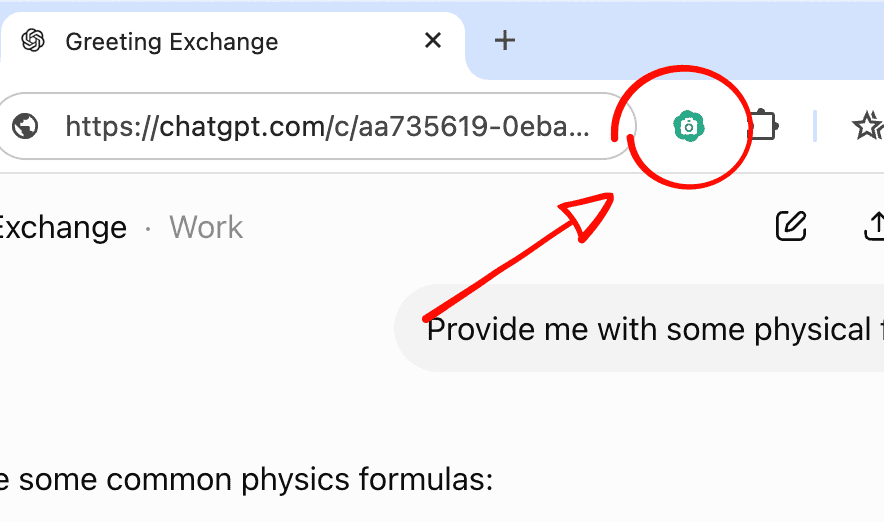
Install AI Exporter in Chrome, Edge, Firefox, or Safari. Pin it to your browser toolbar so the export tools are available whenever you open ChatGPT.

Open the ChatGPT conversation you want to save
2

Open the ChatGPT conversation you want to save

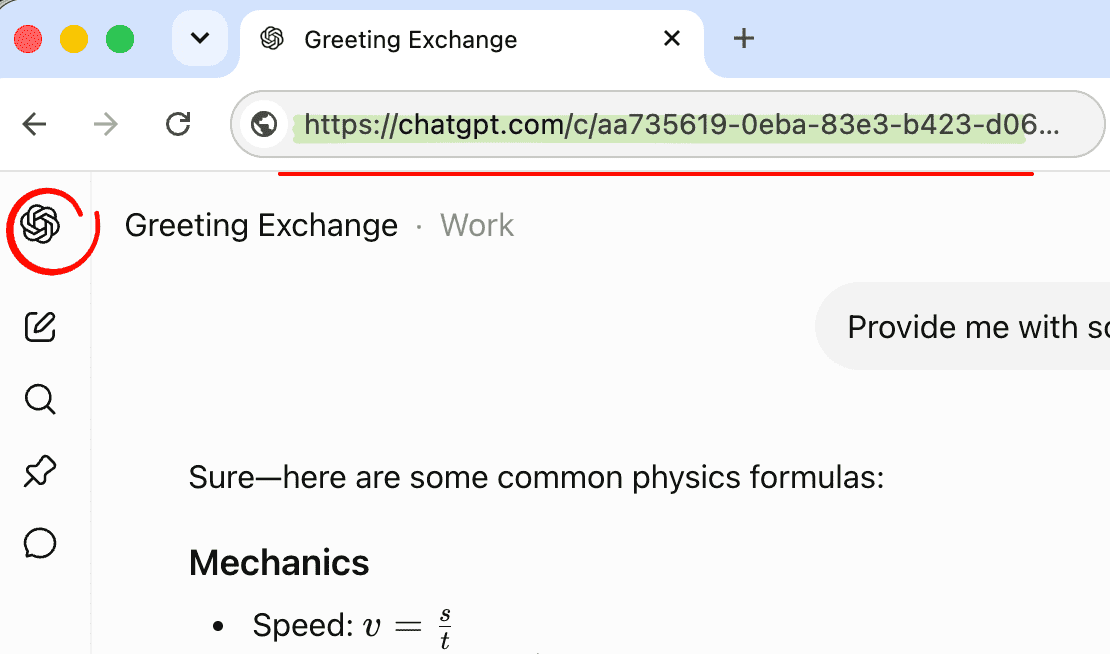
Go to chatgpt.com and open the conversation you need. Study Q&A, code debugging, research summaries, image discussions, formulas, and tables can all be prepared for export.

Export the full ChatGPT chat in one click
3

Export the full ChatGPT chat in one click

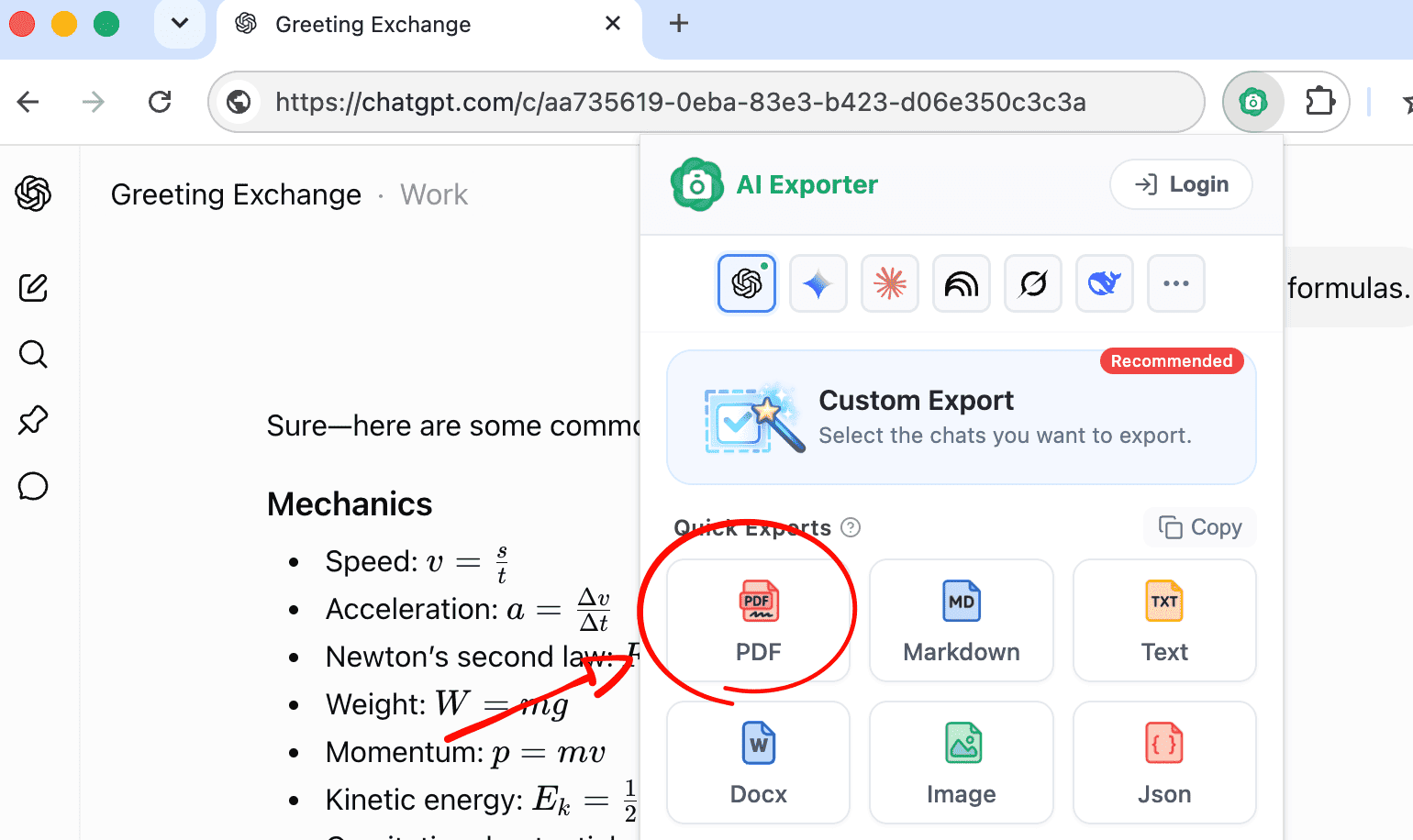
Click the AI Exporter icon in the browser toolbar and choose PDF. The current ChatGPT conversation will be saved locally with code blocks, formulas, tables, images, and answer structure preserved as much as possible.

Select only the messages you need
4

Select only the messages you need

If you do not need the whole chat, use quick selection tools to check a single message, select a range, or pick several key replies before exporting.

Quickly save a single answer
5

Quickly save a single answer

Hover over one ChatGPT answer and use the camera action below it to export that answer as PDF, Word, text, or JSON, or add it to the sidebar for later organization.

How users save important content with ChatGPT Exporter

From study review to code debugging, research notes, and client handoff, ChatGPT chats become more useful when they are saved.

A
A****x

I use ChatGPT to summarize papers and course topics. After exporting to PDF, formulas, lists, and explanations stay readable, so I do not need to scroll through long chats.

S
S****h

Code export is the most useful part for me. ChatGPT debugging steps and sample code are easy to save and reference later when writing technical docs.

M
M****l

I export ChatGPT analysis and conclusions to PDF. Tables and bullet points remain clear enough to share with teammates.

E
E****y

ChatGPT gives me many ideas, scripts, and revision notes. Exporting them helps me keep each version and review the creative process.

D
D****d

Long-chat export matters. A debugging session can include many follow-ups, and saving it as one PDF is much easier than rebuilding it in a document.

L
L****a

I save ChatGPT course summaries and writing advice with this tool. The files work offline and are easy to print for annotation.

K
K****n

Requirement discussions, competitor analysis, and solution comparisons become clean PDFs that I can share before meetings.

T
T****m

I can export only the ChatGPT answers that are suitable for students, without including unrelated follow-up prompts.

R
R****y

Travel plans, shopping comparisons, and study plans are much easier to keep as PDFs than as screenshots.

A
A****x

I use ChatGPT to summarize papers and course topics. After exporting to PDF, formulas, lists, and explanations stay readable, so I do not need to scroll through long chats.

S
S****h

Code export is the most useful part for me. ChatGPT debugging steps and sample code are easy to save and reference later when writing technical docs.

M
M****l

I export ChatGPT analysis and conclusions to PDF. Tables and bullet points remain clear enough to share with teammates.

E
E****y

ChatGPT gives me many ideas, scripts, and revision notes. Exporting them helps me keep each version and review the creative process.

D
D****d

Long-chat export matters. A debugging session can include many follow-ups, and saving it as one PDF is much easier than rebuilding it in a document.

L
L****a

I save ChatGPT course summaries and writing advice with this tool. The files work offline and are easy to print for annotation.

K
K****n

Requirement discussions, competitor analysis, and solution comparisons become clean PDFs that I can share before meetings.

T
T****m

I can export only the ChatGPT answers that are suitable for students, without including unrelated follow-up prompts.

R
R****y

Travel plans, shopping comparisons, and study plans are much easier to keep as PDFs than as screenshots.

A
A****x

I use ChatGPT to summarize papers and course topics. After exporting to PDF, formulas, lists, and explanations stay readable, so I do not need to scroll through long chats.

S
S****h

Code export is the most useful part for me. ChatGPT debugging steps and sample code are easy to save and reference later when writing technical docs.

M
M****l

I export ChatGPT analysis and conclusions to PDF. Tables and bullet points remain clear enough to share with teammates.

E
E****y

ChatGPT gives me many ideas, scripts, and revision notes. Exporting them helps me keep each version and review the creative process.

D
D****d

Long-chat export matters. A debugging session can include many follow-ups, and saving it as one PDF is much easier than rebuilding it in a document.

L
L****a

I save ChatGPT course summaries and writing advice with this tool. The files work offline and are easy to print for annotation.

K
K****n

Requirement discussions, competitor analysis, and solution comparisons become clean PDFs that I can share before meetings.

T
T****m

I can export only the ChatGPT answers that are suitable for students, without including unrelated follow-up prompts.

R
R****y

Travel plans, shopping comparisons, and study plans are much easier to keep as PDFs than as screenshots.

A
A****x

I use ChatGPT to summarize papers and course topics. After exporting to PDF, formulas, lists, and explanations stay readable, so I do not need to scroll through long chats.

S
S****h

Code export is the most useful part for me. ChatGPT debugging steps and sample code are easy to save and reference later when writing technical docs.

M
M****l

I export ChatGPT analysis and conclusions to PDF. Tables and bullet points remain clear enough to share with teammates.

E
E****y

ChatGPT gives me many ideas, scripts, and revision notes. Exporting them helps me keep each version and review the creative process.

D
D****d

Long-chat export matters. A debugging session can include many follow-ups, and saving it as one PDF is much easier than rebuilding it in a document.

L
L****a

I save ChatGPT course summaries and writing advice with this tool. The files work offline and are easy to print for annotation.

K
K****n

Requirement discussions, competitor analysis, and solution comparisons become clean PDFs that I can share before meetings.

T
T****m

I can export only the ChatGPT answers that are suitable for students, without including unrelated follow-up prompts.

R
R****y

Travel plans, shopping comparisons, and study plans are much easier to keep as PDFs than as screenshots.

ChatGPT to PDF FAQ

Answers about exporting ChatGPT chats to PDF, selecting messages, preserving formatting, and privacy.

Install AI Exporter, open the conversation on chatgpt.com, click the browser extension icon, and choose PDF. The current ChatGPT chat will be exported locally.