
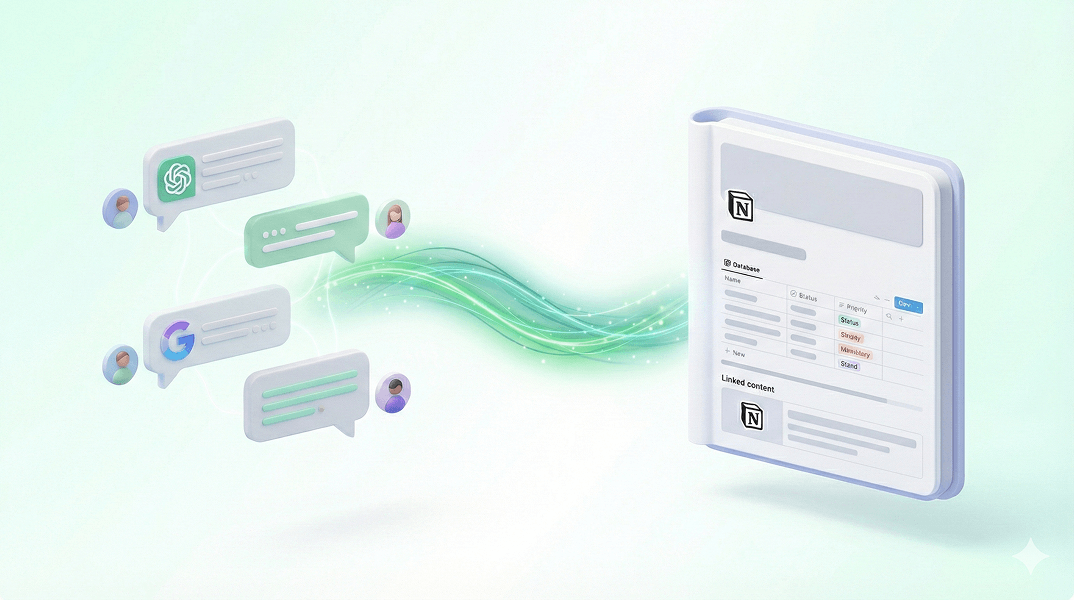
ChatGPT to Notion | Sync AI Chats to Knowledge Base
Stop copy-pasting. Sync ChatGPT, Gemini, Claude, DeepSeek conversations to Notion Database instantly. Build a searchable AI knowledge base.
Why Sync to Notion with AI Exporter?
Deep integration designed for Notion users to perfect your AI workflow.
Real-time Sync Updates
Forget copy-pasting. When your conversation updates, just click sync again to append the latest content in Notion.
Automatic Structuring
Extract titles, URLs, and timestamps into Notion database properties for easy filtering and archiving.
Bidirectional Link Support
Synced content retains original Markdown format, perfectly supporting Notion's block structure for editing and reference.
Team Collaboration
Sync AI research directly to team Notion spaces to collaborate on AI-generated solutions.
Build Your Second Brain
Connect scattered AI chats into a systematic knowledge network in Notion. Never lose an AI-triggered spark of inspiration.
Access Anywhere
Access and edit your synced AI dialogues on any device via the Notion app.
AI + Notion: Unlock Continuous Knowledge Management
From ChatGPT to Notion to DeepSeek code archiving, boost your information processing efficiency.
Sync ChatGPT Reading Notes
Sync AI summaries and study notes to your Notion 'Reading List' database with custom tags.
Connect AI to Notion in a Few Easy Steps
Configure once and enjoy automated knowledge flow forever.
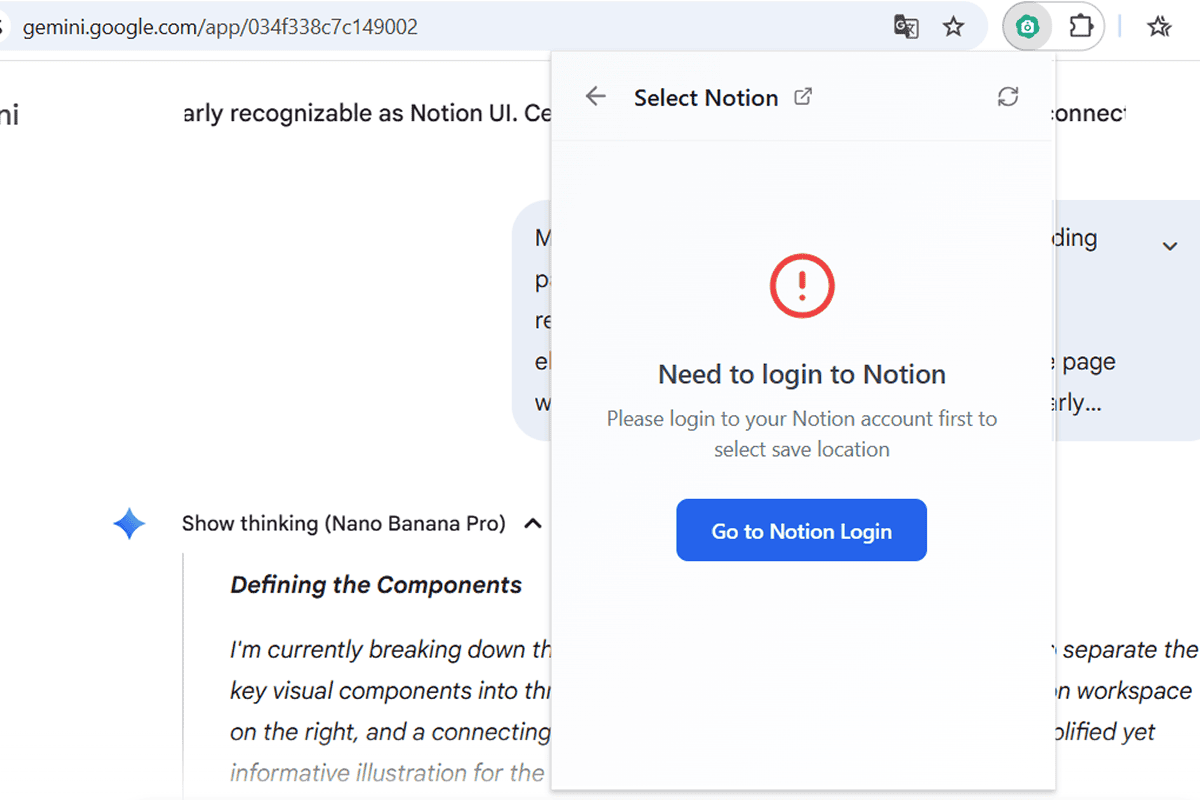
Connect Your Notion Account
Click the AI Exporter icon, select the Notion option, and authorize the extension through the official Notion login page.
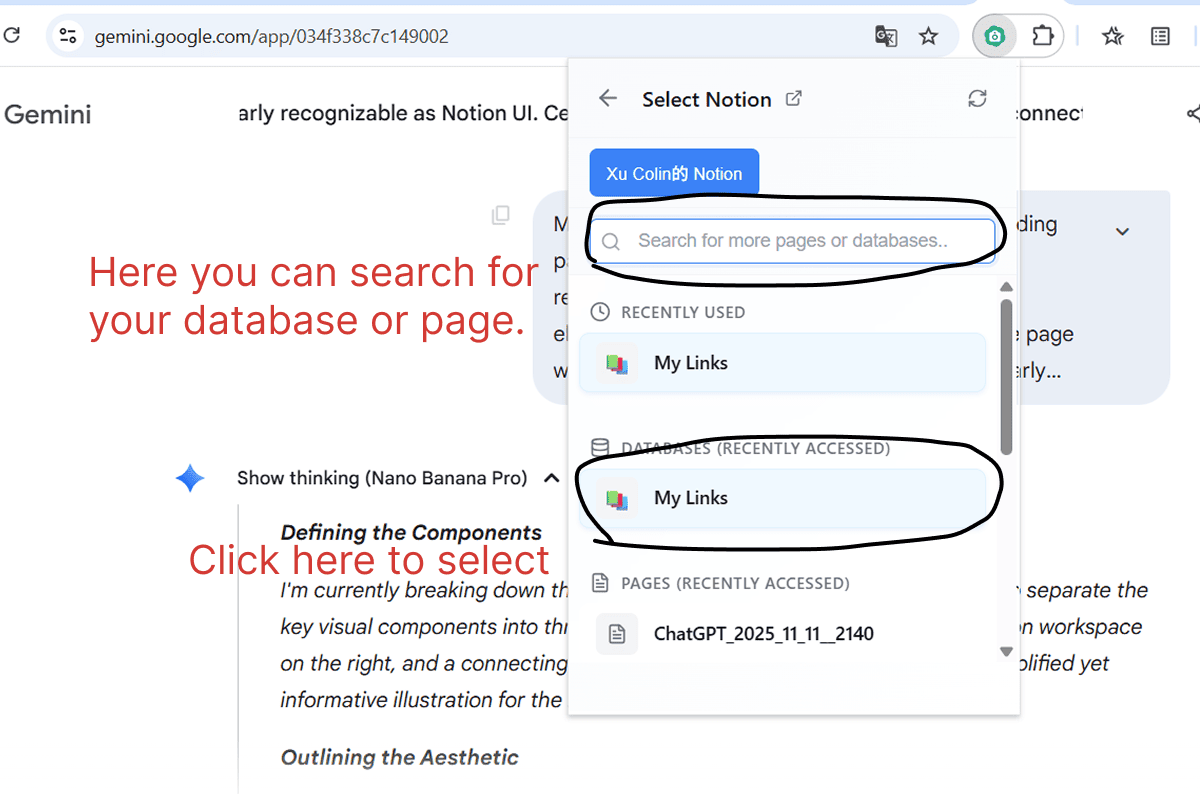
Select Target Database
Choose the specific Notion database or page where you want to save your AI conversations.
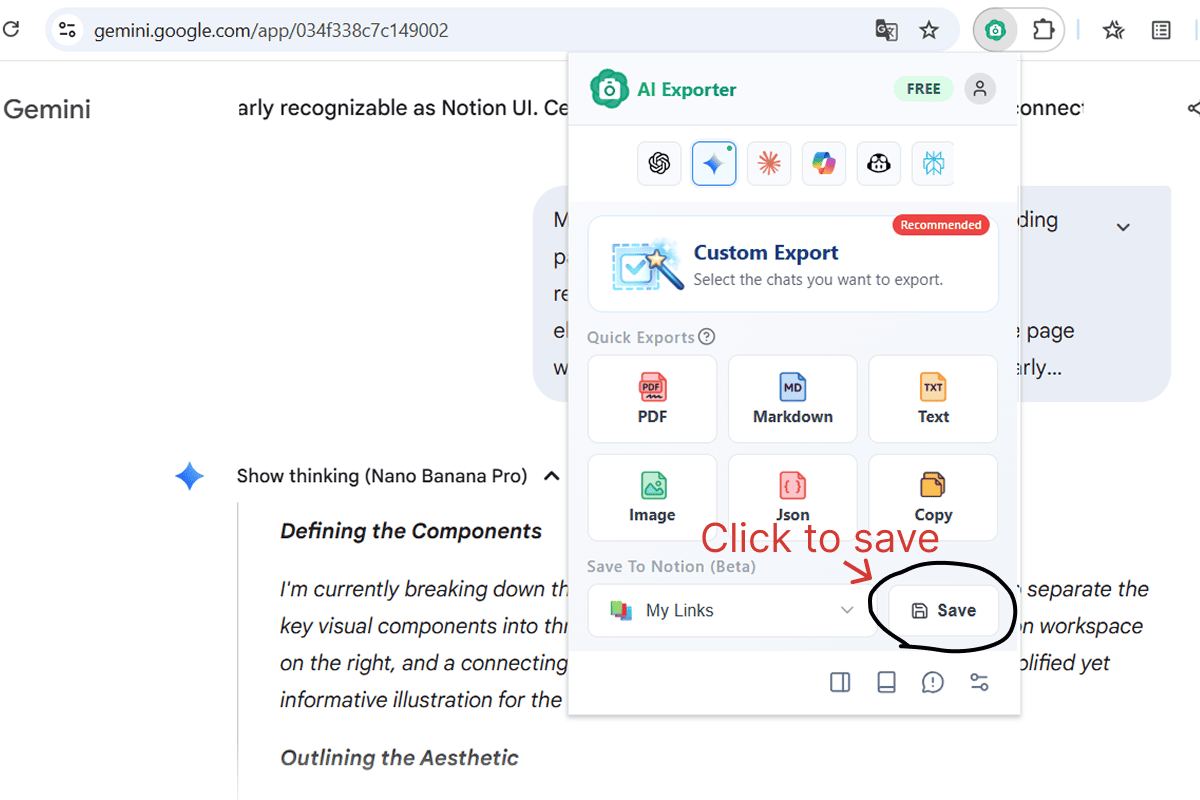
Click Save to Sync
Open your AI chat, click 'Save' in the extension, and your conversation will be synced to Notion immediately.
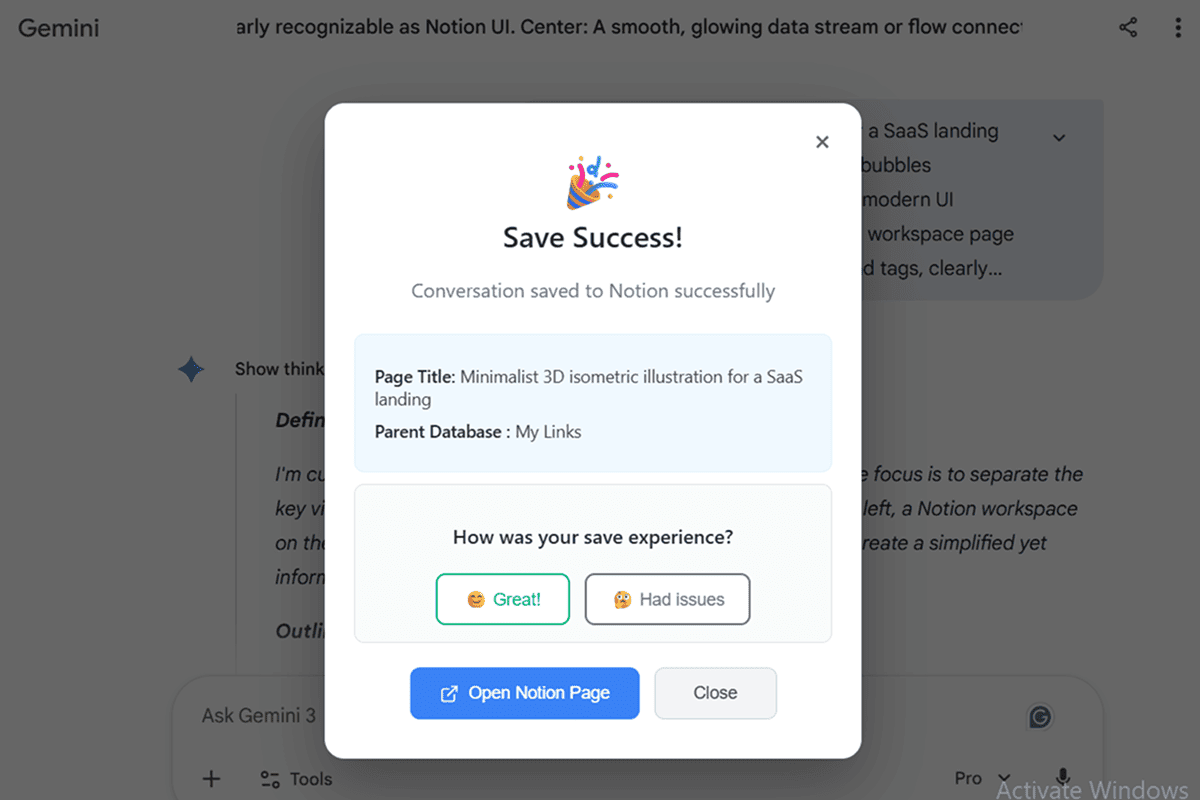
View in Notion
Once finished, use the 'Open Notion Page' button to jump straight to your newly archived document.
Trusted by Thousands Worldwide
See how users are transforming AI chats into productivity with AI Exporter
“AI Exporter is the missing link between my AI workflows and my Notion second brain. It saves me hours of copy-pasting every week.”
“Being able to sync Gemini's research summaries directly to my literature review database in Notion is a game changer. The formatting is always perfect.”
“My team uses this to archive technical discussions from Claude. It's great to have a searchable history of our architectural decisions in our team Notion.”
“I plan all my content with ChatGPT. Syncing straight to my Notion content calendar means I can move from ideation to production seamlessly.”
“I use it to save explanations for difficult concepts. The best part is it keeps the layout and code blocks intact when sending to Notion.”
“Finally, a way to organize my random AI brainstorming sessions. The auto-tagging feature helps me keep my design research organized.”
“AI Exporter is the missing link between my AI workflows and my Notion second brain. It saves me hours of copy-pasting every week.”
“Being able to sync Gemini's research summaries directly to my literature review database in Notion is a game changer. The formatting is always perfect.”
“My team uses this to archive technical discussions from Claude. It's great to have a searchable history of our architectural decisions in our team Notion.”
“I plan all my content with ChatGPT. Syncing straight to my Notion content calendar means I can move from ideation to production seamlessly.”
“I use it to save explanations for difficult concepts. The best part is it keeps the layout and code blocks intact when sending to Notion.”
“Finally, a way to organize my random AI brainstorming sessions. The auto-tagging feature helps me keep my design research organized.”
“AI Exporter is the missing link between my AI workflows and my Notion second brain. It saves me hours of copy-pasting every week.”
“Being able to sync Gemini's research summaries directly to my literature review database in Notion is a game changer. The formatting is always perfect.”
“My team uses this to archive technical discussions from Claude. It's great to have a searchable history of our architectural decisions in our team Notion.”
“I plan all my content with ChatGPT. Syncing straight to my Notion content calendar means I can move from ideation to production seamlessly.”
“I use it to save explanations for difficult concepts. The best part is it keeps the layout and code blocks intact when sending to Notion.”
“Finally, a way to organize my random AI brainstorming sessions. The auto-tagging feature helps me keep my design research organized.”
“AI Exporter is the missing link between my AI workflows and my Notion second brain. It saves me hours of copy-pasting every week.”
“Being able to sync Gemini's research summaries directly to my literature review database in Notion is a game changer. The formatting is always perfect.”
“My team uses this to archive technical discussions from Claude. It's great to have a searchable history of our architectural decisions in our team Notion.”
“I plan all my content with ChatGPT. Syncing straight to my Notion content calendar means I can move from ideation to production seamlessly.”
“I use it to save explanations for difficult concepts. The best part is it keeps the layout and code blocks intact when sending to Notion.”
“Finally, a way to organize my random AI brainstorming sessions. The auto-tagging feature helps me keep my design research organized.”
FAQ about AI to Notion Sync
Simple. Install AI Exporter, click the icon on ChatGPT, and choose 'Save'. It will automatically identify and sync the chat to your specified database.