
Single Message Export
Sometimes you just want to quickly export or share a single message without capturing the whole page. In addition to the full selection features, AI Exporter provides a built-in, seamless interaction for single message exports.
📸 1. The Snapshot Panel
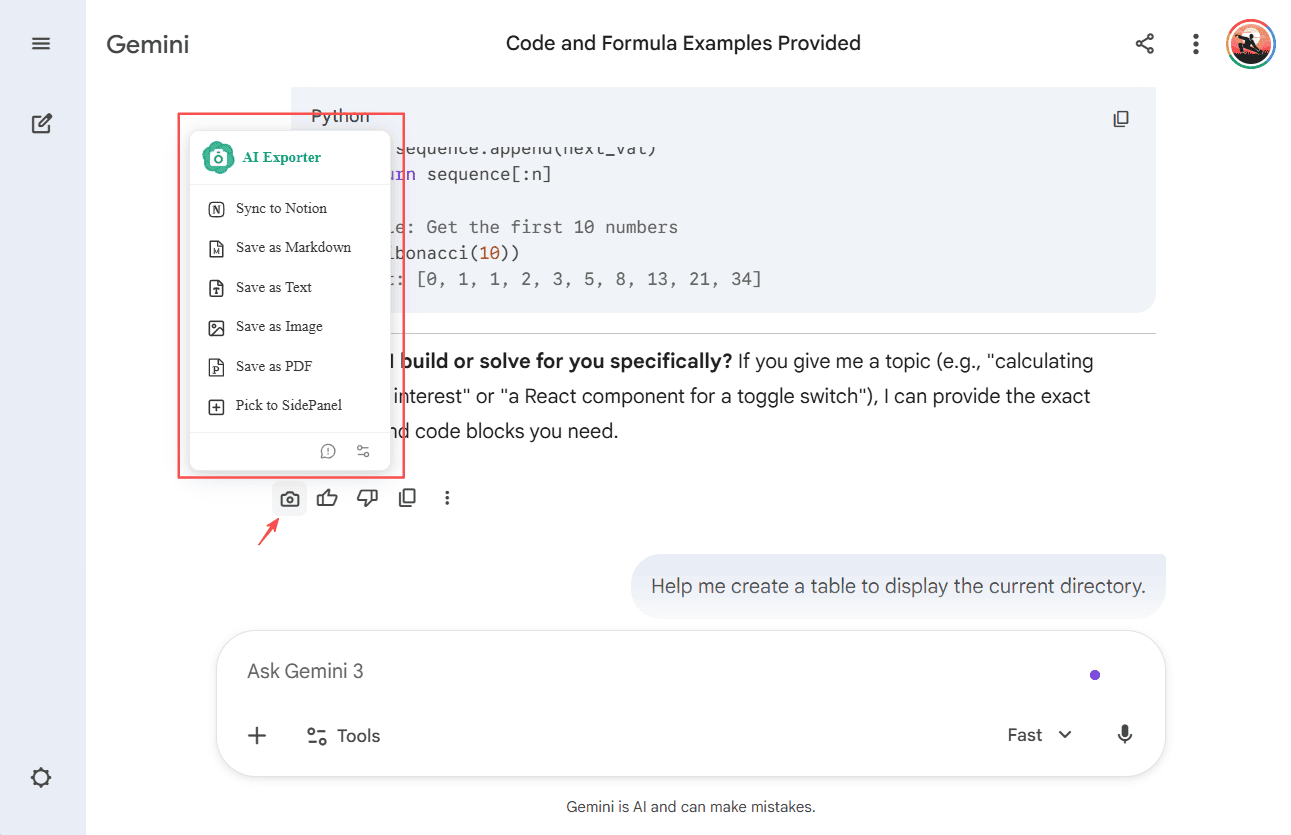
When browsing on supported AI platforms (like Gemini ), AI Exporter automatically injects a native Snapshot icon (Camera) into the actions area of every message bubble.
- Simply hover over the camera icon and a panel will smoothly appear.
- From here, you can instantly export that specific message as a PDF, PNG image, or simply extract its content.
⚙️ 2. Controls and Settings
💡 Tip: To ensure a great experience, this feature is enabled by default.
If you don’t want these icons permanently visible on your page, or if they happen to interfere with the layout, you can easily turn them off in the Settings Center:
- Click the settings gear icon in the extension popup and find the
Page Toolbarproperty. - Toggle it off. All camera icons in your AI chat pages will be hidden.
