Multi-Model Aggregation
Most of us use more than one AI – often checking Gemini after discussing something with ChatGPT. If you want to merge conversations from different models or different pages into one single file, our Sidebar Collection feature is built for you.
📌 1. Add Messages to the Sidebar
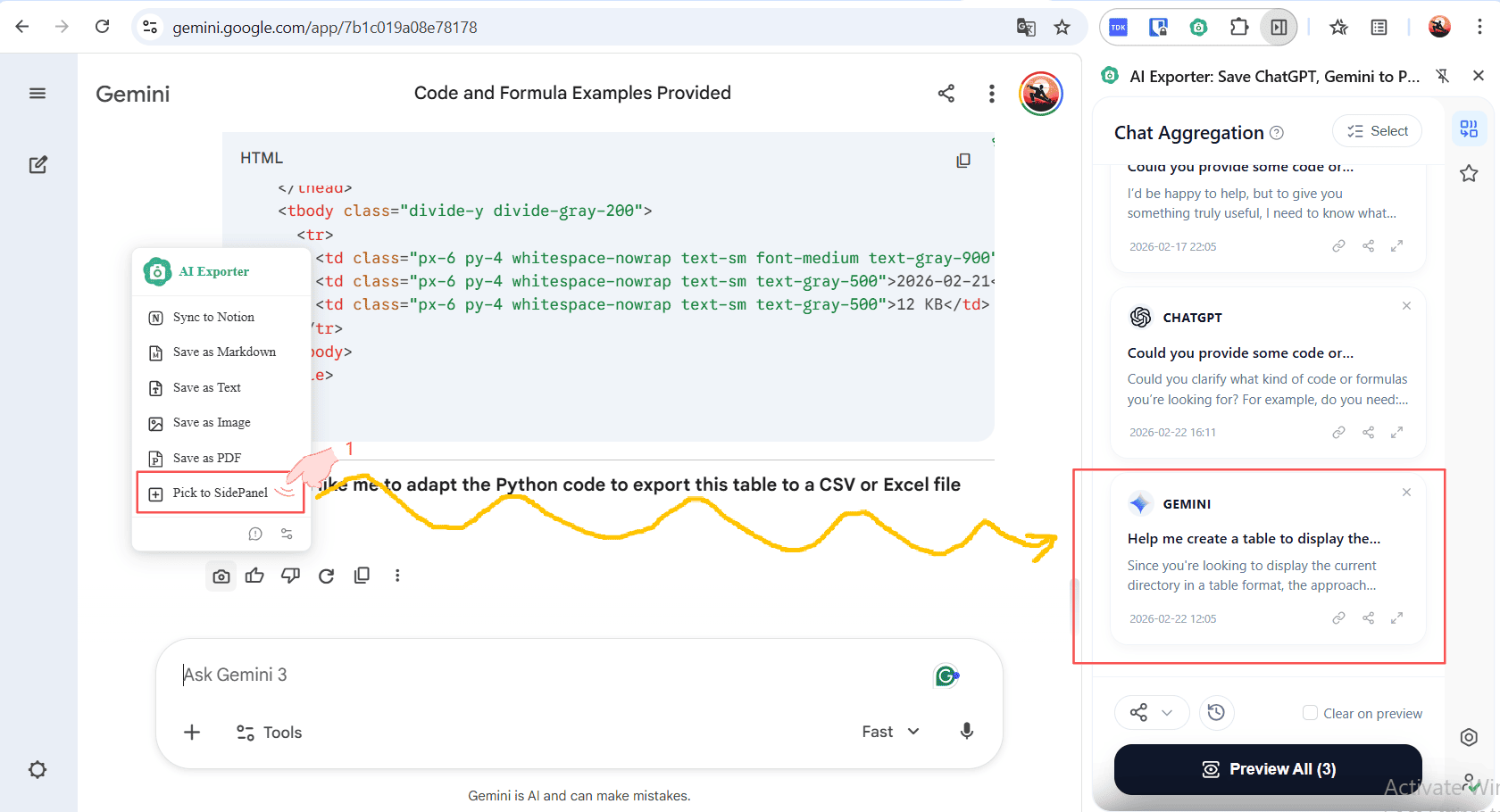
When using any supported AI (like ChatGPT or Gemini), click the add button next to a message to “Save to Sidebar” (SidePanel). As shown below, you can collect important data cross-page and cross-model into this sidebar. You’ll see cards from both ChatGPT and Gemini existing together in one space.
🔍 2. Preview the Combined Session
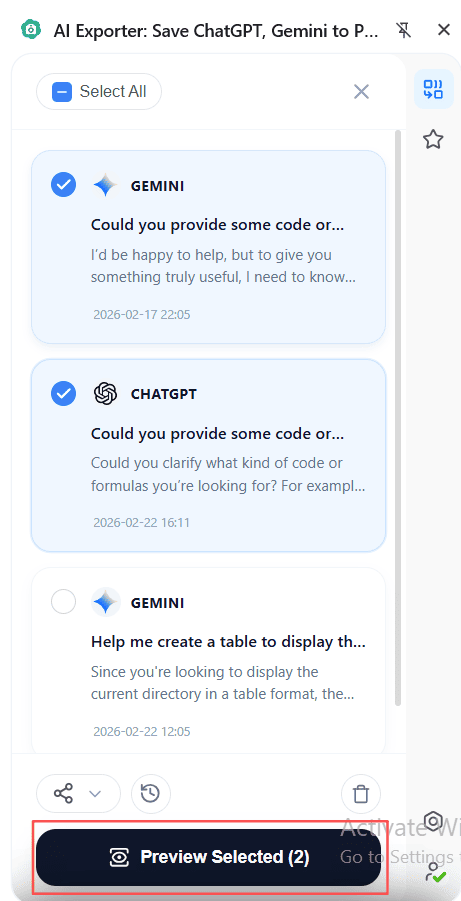
Once you’ve finished gathering your separate bits of knowledge, how do you save them as one file? Click the “Preview All” button at the bottom of the right sidebar. AI Exporter will synthesize all your collected items into one single, flowing preview page.
🖱️ 3. Filter and Export
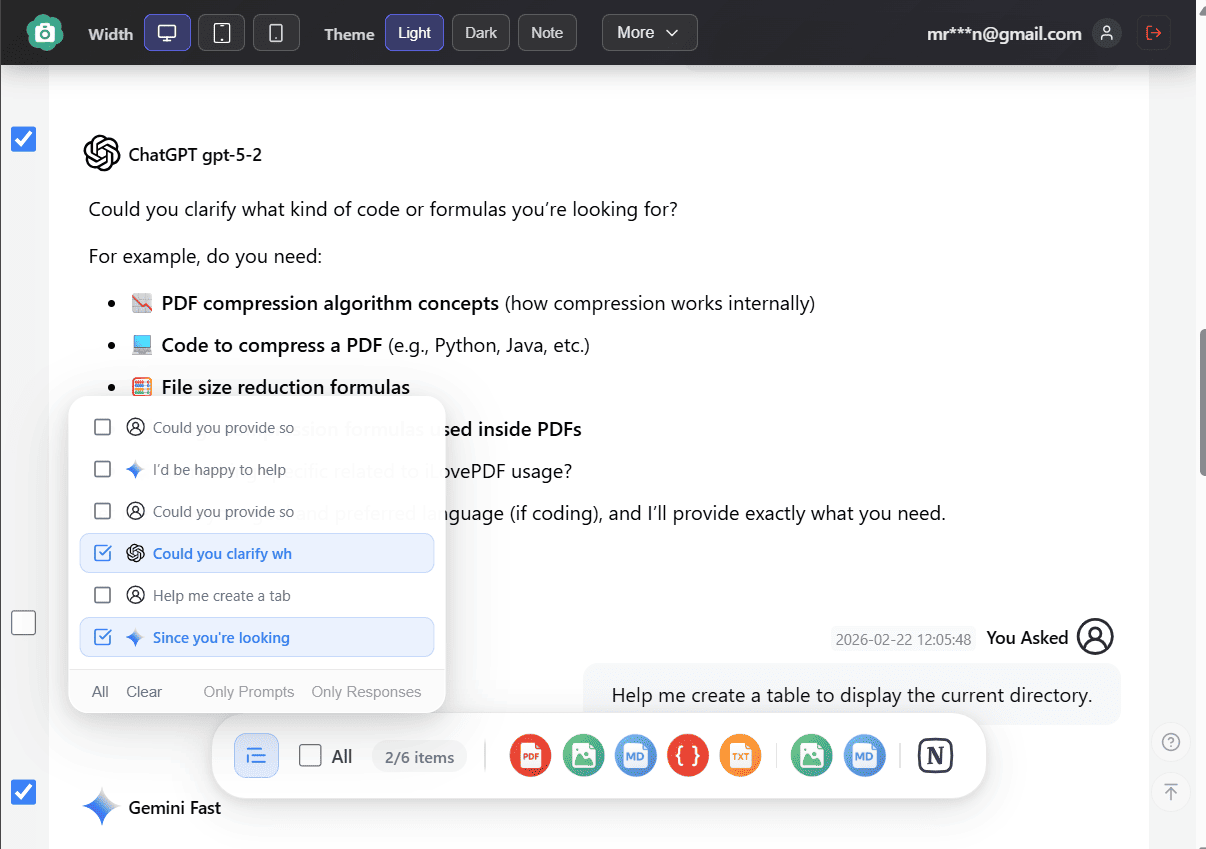
Now that you’re in the Aggregated Preview Page, you’ll see your topics from different platforms merged together. From here, you can refine your selection using individual checkboxes. Then use the bottom toolbar – just like with regular pages – to Export to PDF, PNG, or Sync to Notion.
⚡ Pro Tip 1: Quick Sidebar Export
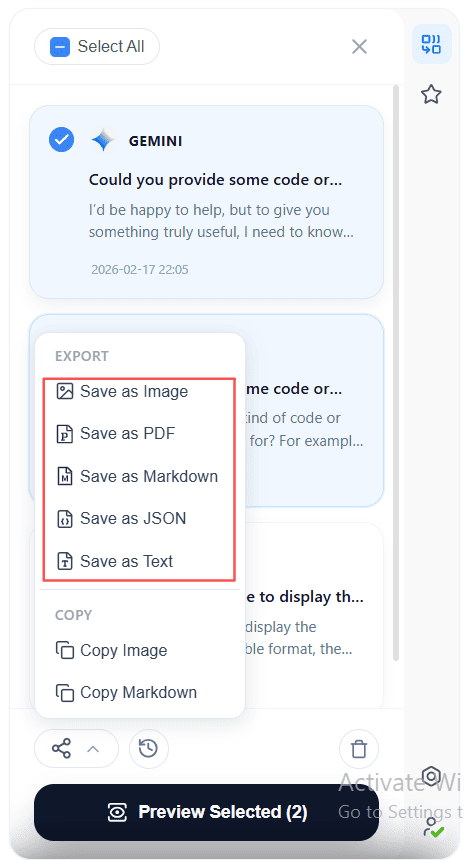
If you just want a quick save without manual filtering, you can skip the preview and click the Export icon directly at the bottom of the sidebar. This will default to exporting everything you’ve collected in the sidebar.
🌐 Pro Tip 2: Quick Access to Sidebar
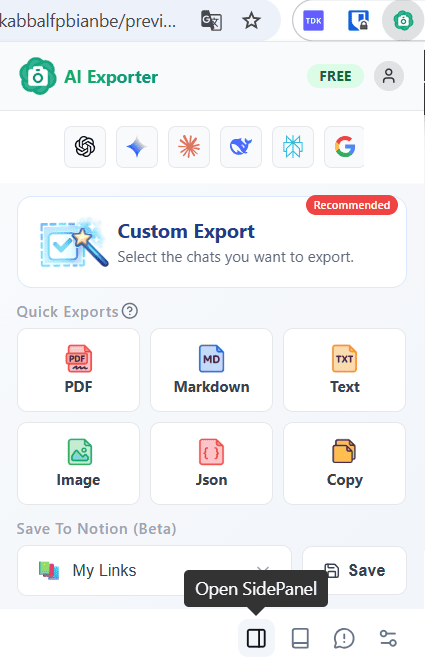
If you’ve closed the sidebar or are on a regular web page, just click the AI Exporter icon in your browser’s toolbar. In the main popup, click “Open Sidebar” at the bottom to bring back your collection.