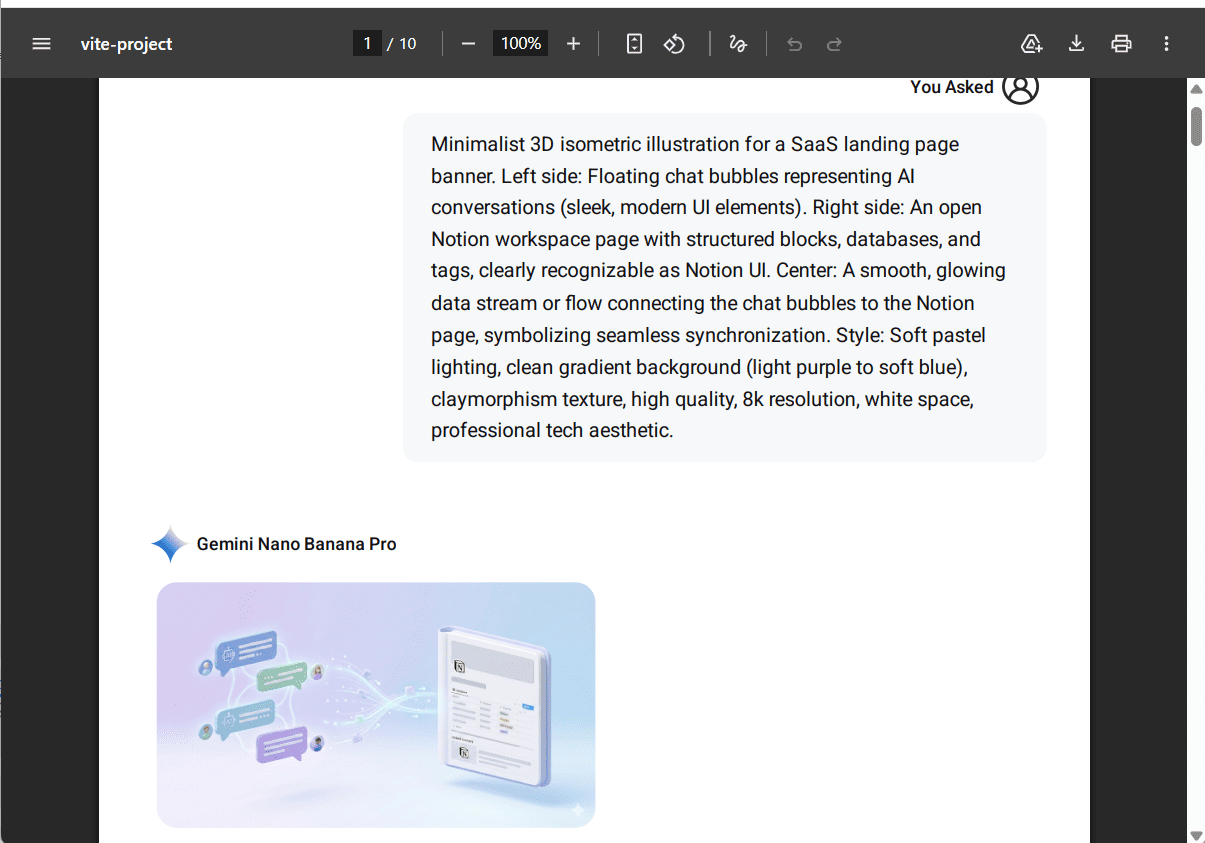
Full Page Export
AI Exporter provides a fast, one-click solution for exporting entire conversation pages while perfectly preserving the original Markdown layout. Here is a quick guide:
🖱️ 1. Choose Export Format
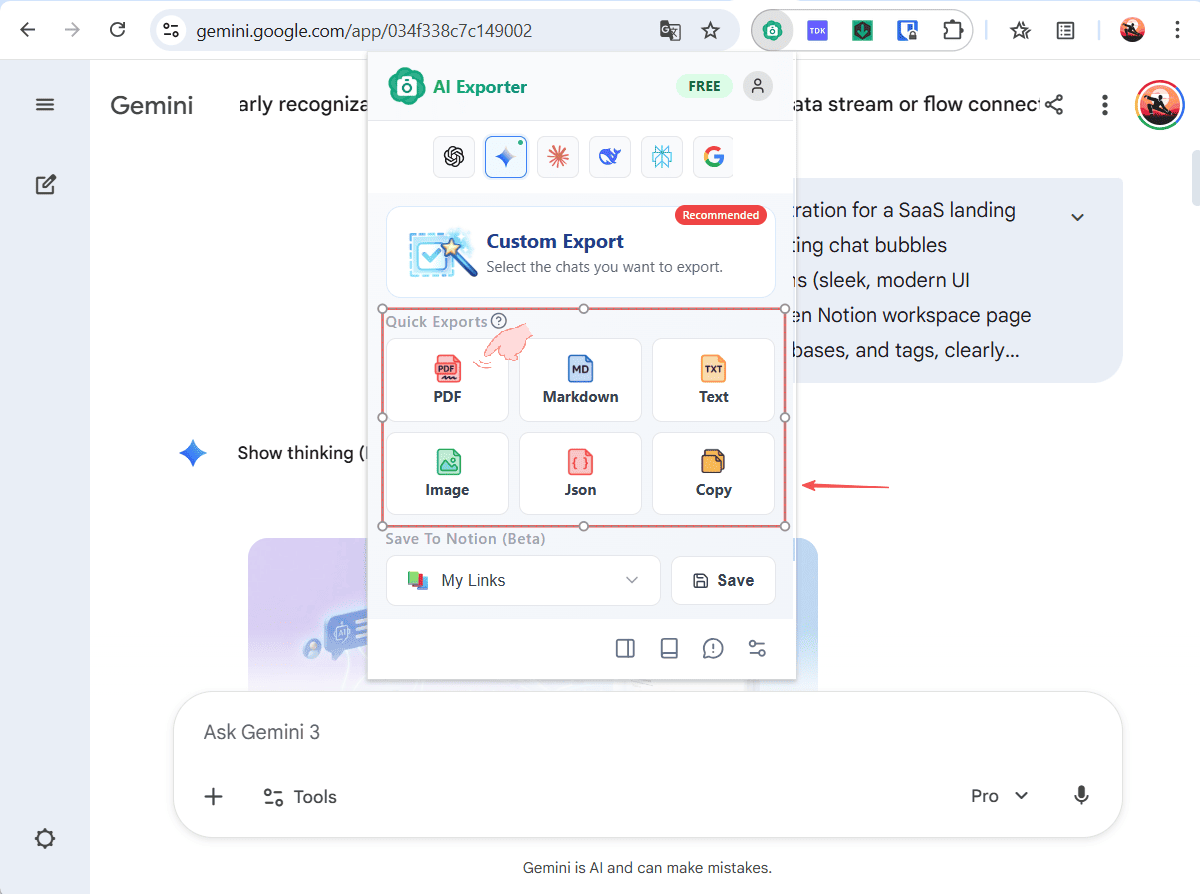
Navigate to the AI chat page you wish to export. Click the AI Exporter extension icon in your toolbar. The Quick Export area is right at the top of the panel. Simply click your desired format (e.g., PDF), and the extension will automatically begin exporting the entire current session.
⏳ 2. Wait for Processing
Since we support high-quality rich-media layouts, please allow a moment for processing. 💡 Tip: Export speed depends on your internet connection and the amount of content (like images or complex code blocks) in the chat.

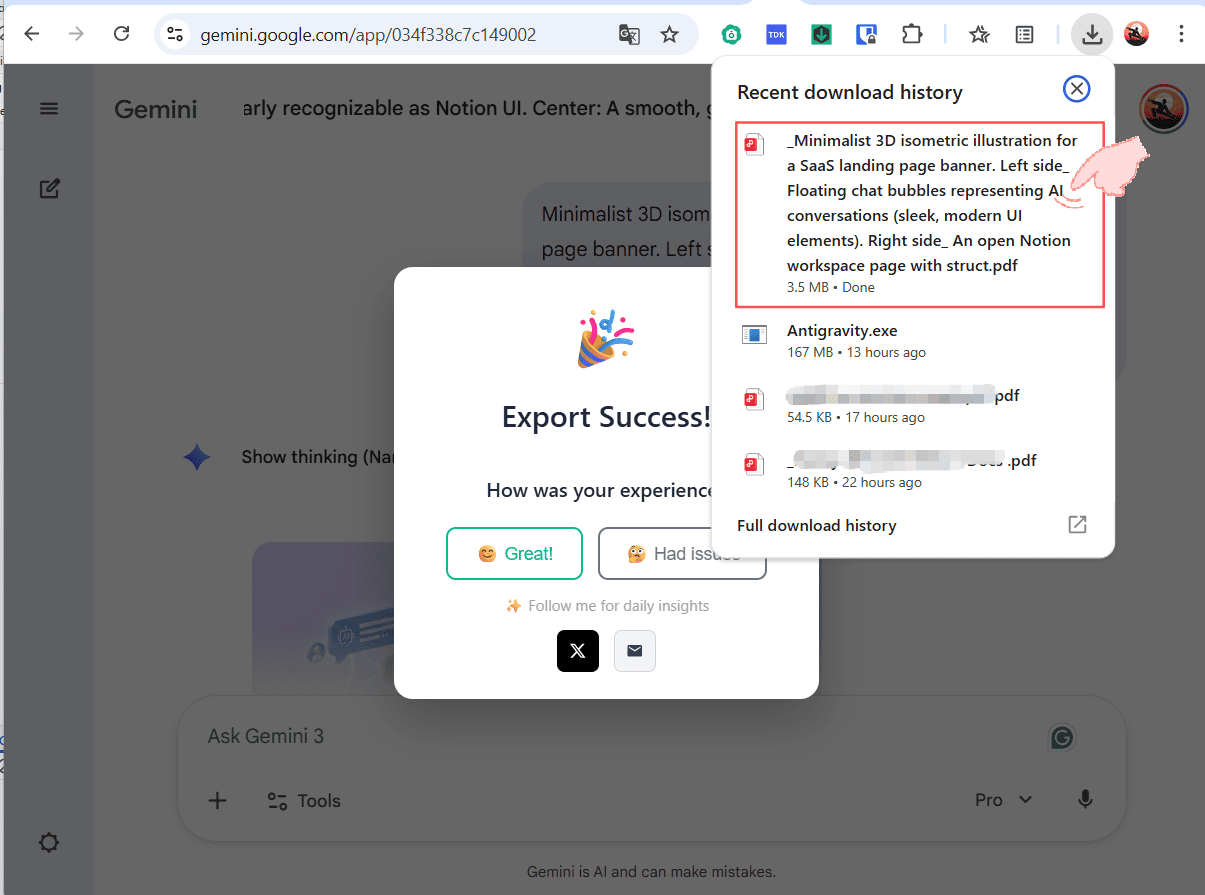
✅ 3. Export Successful
Once the processing is done, you’ll see a success message! You can now find and open your file in your browser’s Downloads folder or your local file explorer.
📄 4. Final Result
Here is an example of a full page exported directly as a PDF: